Mouse Jiggler MJ-3 is a hardware-based USB device designed to prevent a computer from entering sleep mode or activating a screensaver. It works by simulating mouse movement, causing the operating system to recognize continuous user activity. No drivers or special software are required for basic operation—simply plug it into a USB port and it immediately begins generating activity. Measuring approximately 18 × 14 × 6 mm, the device is extremely compact and portable, and it appears to the host system as a standard HID mouse.
The device is useful in a wide range of scenarios. Presenters rely on it to prevent screensavers from interrupting their presentations. Gamers and users performing long-running tasks—such as uploading or downloading files, copying drives, or installing updates—benefit from keeping their systems active without repeated logins. In corporate IT environments, the MJ-3 is especially practical where users do not have permission to modify system sleep settings or install unauthorized software. IT professionals also use it during maintenance procedures or when maintaining access to a running workstation.
The MJ-3 also has applications in digital forensics. On systems protected with full-disk encryption, activation of a screensaver or sleep mode can significantly complicate and increase the cost of an investigation. Keeping a system awake without requiring reauthentication can be critical to maintaining workflow continuity. When used alongside other specialized tools from CRU, such as WiebeTech devices, the Mouse Jiggler becomes a valuable asset for security and data management professionals.
One of the key advantages of the MJ-3 is its programmability. Using the configuration software, users can create custom scripts that include sequences of mouse movements, mouse clicks, and keystrokes. This enables automation of repetitive tasks commonly found in IT operations, testing environments, or even gaming scenarios. The software is available for Windows and macOS and includes preconfigured scripts that can be used immediately or modified to meet specific requirements.
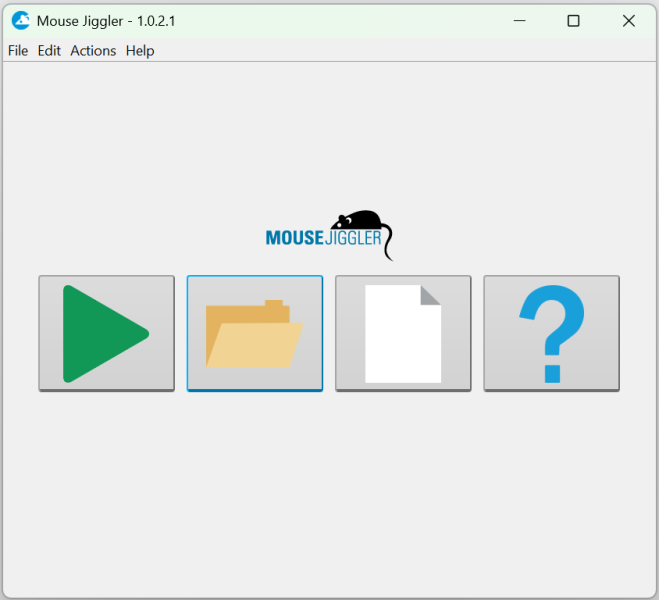
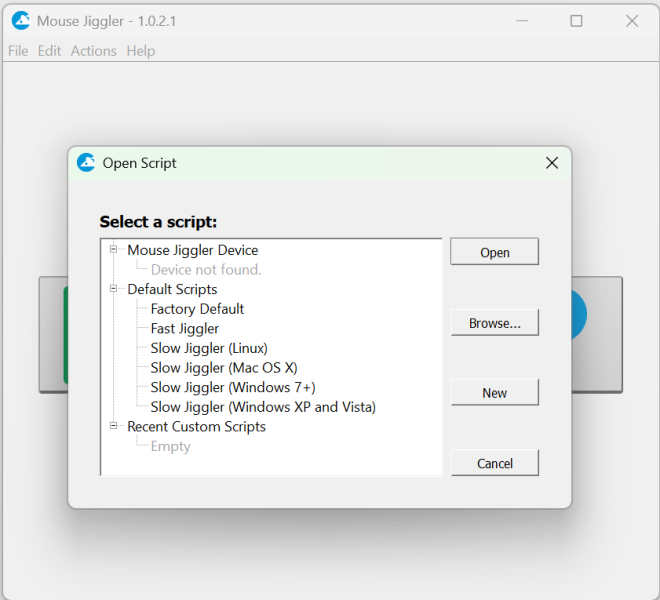
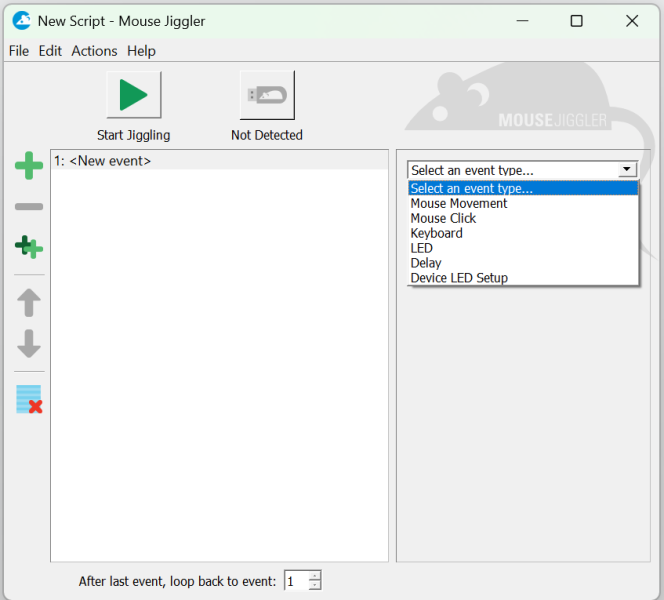
Configuration is handled through the Mouse Jiggler software, which allows users to create, save, and upload scripts directly to the device. You can choose from predefined modes or build your own sequence by defining event types—such as mouse movement, mouse clicks, keyboard input, or delays—and arranging them in a specific order with loop settings. Once a script is uploaded, the MJ-3 operates independently without requiring the software to run in the background, combining true plug-and-play simplicity with advanced automation capabilities in a compact and unobtrusive form factor.